A fan that stops, hums, wobbles or trips the breaker needs a fault-specific check, not a larger capacitor or repeated resets. You will be able to separate safe cleaning and tightening from electrical faults that require isolation and a qualified technician, while accounting for Chennai’s salt, humidity, dust and voltage conditions.
Key takeaways
- Check the wall switch, regulator, MCB and RCCB before opening the fan.
- Match no-start, slow-speed and overheating symptoms to likely electrical faults.
- Tighten blades only after confirming the ceiling box and support are secure.
- Inspect for dust, humidity and corrosion before choosing repair or replacement.
Start with the supply before opening the fan
Check the wall switchboard first when a ceiling fan is not working in Chennai. Confirm the fan switch is on and inspect the regulator for damage. Then go to the distribution board and check the fan circuit’s MCB and RCCB or RCBO.
1. Switch the fan off before resetting a tripped MCB, RCCB or RCBO. Reset it once only. If it trips again, stop; repeated tripping points to a fault, not a balancing problem.
2. Isolate the fan circuit at the MCB, prevent anyone from restoring it, and verify that voltage is absent with a suitable tester. A non-contact voltage pen alone does not prove isolation.
3. With power isolated, inspect the visible switch, regulator, canopy and cable entry. Look for loose terminals, melted insulation, green corrosion, water marks and exposed copper.
4. If a remote is fitted, replace its batteries. Check the receiver connections only after isolation, and never open the motor housing while the circuit is energised.
5. Support the 1200mm fan before removing the canopy or downrod. A defective bracket, hook, shackle or safety wire can let it fall.
Burning smell, sparking, melted insulation, a hot regulator or repeated breaker tripping ends DIY troubleshooting. A completely dead fan can have an upstream supply fault, open switch, burnt terminal or failed regulator, so do not begin by changing the capacitor.
Match the symptom to the electrical or motor fault
A hum with no rotation, or a fan that starts only after a hand push, points first to a failed, disconnected or incorrectly rated run capacitor. Replace it with the same capacitance value and at least the original AC voltage rating; increasing capacitance to gain speed can overheat the motor winding.
- Slow speed on every setting: measure supply voltage under load, inspect the regulator and high-resistance terminals, then check for seized bearings, a damaged capacitor or a shorted motor winding. Electronic regulators and conventional capacitor-type regulators are not interchangeable; an incompatible unit can buzz, overheat or fail.
- Stopping after several minutes: suspect a loose terminal, failing regulator, overheating motor or an internal thermal protector opening. Do not keep restarting it, because a hot, high-resistance connection can damage the terminal and insulation.
- MCB tripping: look for a short circuit, damaged insulation, seized motor or supply fault. Balancing the blades will not correct an electrical trip.
- Overheating: stop operation and check the motor, regulator, capacitor, terminals and blocked ventilation. A burning smell or melted insulation requires a technician.
- Reverse rotation: have a technician inspect motor connections, capacitor and electronic controller compatibility. Never swap live wires by trial and error.
- Poor air delivery: check blade orientation, obstructions, room temperature and room size. A 1200mm fan circulates air; it does not reduce room temperature.
These checks address common 1200mm Seabreeze ceiling fan problems and fixes in Chennai, but isolate the 230 V supply before opening any connection.
Find the source of clicking, scraping and electrical hum
Identify the sound before replacing parts: a 1200mm ceiling fan noise problem in Chennai often comes from a small external fault, not a failed motor. Switch off the fan, isolate its circuit at the distribution board, prevent re-energisation and verify the absence of voltage with a suitable tester before touching it.
| Sound | Likely source | Safe response |
|---|---|---|
| Clicking | Loose canopy screw, blade screw, shackle pin, cotter pin or wire brushing the canopy | Tighten fasteners and move the wire clear without pinching it |
| Scraping | Blade touching the canopy, distorted blade, bent part or internal motor interference | Do not run the fan; find and remove the obstruction |
| Low hum with poor speed | Failed capacitor, incompatible regulator or motor-winding fault | Stop operation and arrange electrical testing |
| Growing rumble | Worn bearings or increasing mechanical imbalance | Arrange a mechanical inspection before continued use |
Dust and lint increase imbalance, while coastal moisture promotes corrosion around screws, terminals, canopy parts and bearings. Clean accessible surfaces with a dry or lightly damp cloth, but never spray water or lubricant into the motor, capacitor, regulator or terminals.
A regulator that buzzes, heats up or gives uneven speeds needs a fan-compatible replacement rated for the motor current. Electronic and conventional capacitor-type regulators are not interchangeable. If external tightening fails, or the sound changes as the fan heats or runs, stop using it and arrange an electrical and mechanical inspection.
Correct wobble only after proving the ceiling support is safe
A practical Seabreeze fan wobbling solution in Chennai starts with the ceiling attachment, not the blades. Switch off the fan, isolate its circuit at the distribution board, prevent re-energisation and verify the absence of voltage with a suitable tester. Support the 1200mm fan before loosening the canopy or downrod.
Inspect and tighten:
- Blade screws, shackle pin, cotter pin and downrod fasteners
- Canopy screws, mounting bracket and ceiling-box hardware
- Mounting hook and safety wire
Confirm that the downrod hangs vertically and every blade uses the same hole position and orientation. Wipe dust and lint from each blade, then turn the fan by hand and compare all blade tips at one reference height.
Use this comparison before adding weights:
| Cause | What you will see | Correct action |
|---|---|---|
| Support movement | Hook, bracket or junction box shifts | Stop use; tighten, re-anchor or replace the support |
| Blade imbalance | Support is firm, but blade tips vary in height | Fit a balancing kit or small corrective weight |
| Bent blade | One blade remains visibly distorted | Replace that blade or the complete blade set |
A wobble that began after repainting, rewiring or monsoon work points to a disturbed junction box or loose ceiling attachment. Check for cracked plaster, rust that has thinned metal, inadequate anchors or movement. Do not counter a bent blade with large weights.
If the plaster cracks, hook shifts or support moves, balancing cannot make it safe; call a technician.
Adapt inspection and replacement decisions to Chennai conditions
Choose cleaning when dust is the fault, repair when a sound or electrical defect has a defined cause, and replace when corrosion, age or repeated failures make repair unreliable.
| Option | What to do | When it applies |
|---|---|---|
| Cleaning | Wipe blades and canopy with a dry or lightly damp cloth; brush or vacuum motor vents. Keep moisture away from the motor, terminals and regulator. Recheck blade alignment. | Clean dusty rooms after visible blade buildup; inspect coastal or balcony fans more frequently; clean and check fasteners before the monsoon. |
| Repair | Isolate power, replace corroded terminals or damaged insulation, improve cable-entry and enclosure protection, and fit corrosion-resistant hardware where needed. Measure supply voltage under load. | Green or white deposits, stiff screws, water ingress, intermittent operation, terminal heating or voltage fluctuation. Do not guess by changing the capacitor. |
| Replacement | Compare repair cost and support condition with motor age and fault frequency. | Choose this when the motor is old, faults recur, or corrosion has weakened essential parts. |
These are the practical 1200mm Seabreeze ceiling fan problems and fixes in Chennai: salt, humidity and water ingress often signal a protection failure, not a loose screw. A conventional indoor fan is unsuitable where flammable gas, vapour or combustible dust requires flame-proof or hazardous-area-approved equipment; “industrial” alone proves nothing.
Shine Agencies can help compare a compatible fan, regulator or ventilation option, while the installer verifies ceiling support, electrical ratings and hazardous-area classification.
Related product
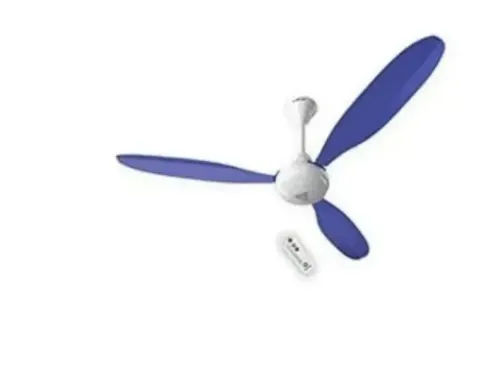
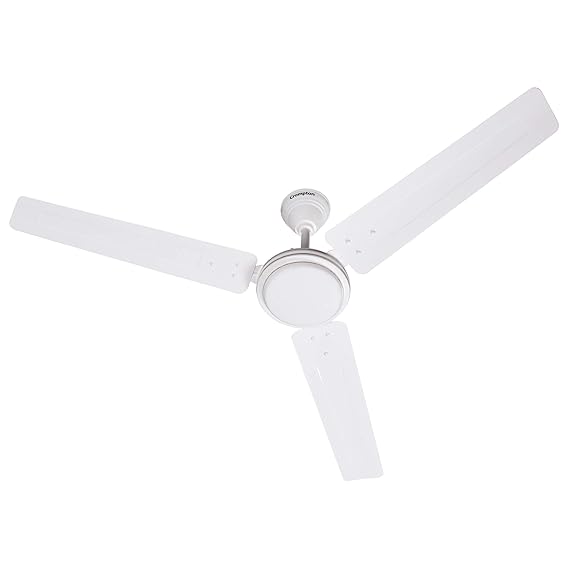 | Seabreeze ₹2599 1200mm ceiling fan Lustre White View product → |
Frequently asked questions
What should you check first when a ceiling fan is not working in Chennai?
Check the wall switchboard, fan regulator, distribution-board MCB, and RCCB or RCBO before opening the fan.
How do you diagnose a 1200mm Seabreeze fan that runs slowly or stops?
Match the symptom with the supply, regulator, capacitor, wiring or motor fault, then isolate power before inspection.
What causes clicking, scraping or electrical hum in a 1200mm ceiling fan?
Loose screws, blade or canopy contact, worn bearings, trapped wiring and electrical components can create these sounds; identify the exact source before replacing parts.
What is a safe Seabreeze fan wobbling solution in Chennai?
First prove the ceiling support is sound, then check blade alignment, blade screws, the downrod, canopy and mounting hardware.
How do Chennai conditions affect fan inspection and replacement decisions?
Dust, humidity, salt-laden air and corrosion affect cleaning, electrical checks and the choice between repairing a component and replacing the fan.
Keywords